A practical first-time setup guide for 2.4GHz remote control cars: charge and power, bind the controller, run a low-speed steering and throttle test, and troubleshoot a car that does not respond. Exact binding behavior varies by model, so always follow the manual packed with your unit.
Setup & Troubleshooting Guide
Setting up a 2.4GHz remote control car for the first time comes down to four steps: charge the battery, power on the car and controller in the correct order, let the two bind automatically, then test steering and throttle at low speed. If the car does not respond, work through the troubleshooting branches below before assuming a fault.
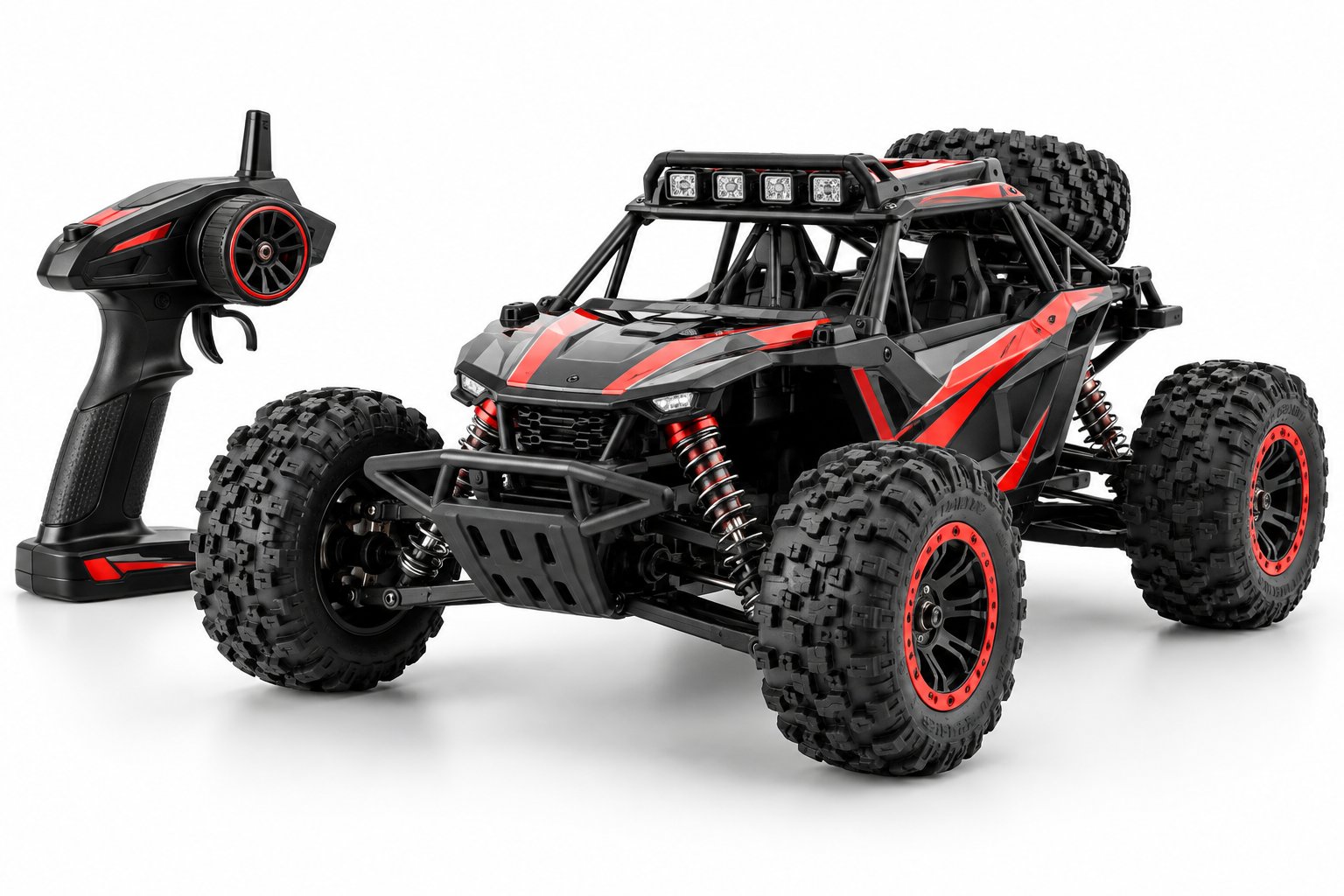
This guide is written for toy retailers, gift buyers, and end-user support teams who need a repeatable first-use sequence they can share with customers. It uses the 2.4GHz Remote Control Off-Road Car as the reference product, but the sequence applies to most hobby-grade 2.4GHz cars. Exact binding behavior, button names, LED colors, and switch positions vary by model — always follow the manual packed with your unit.
Key takeaways
- Charge the battery fully before first use; a partially charged pack is the most common reason a new car seems dead.
- Power on the car first, then the controller, unless the manual says otherwise.
- 2.4GHz binding is usually automatic — no button sequence is needed on most models.
- Test steering and throttle at low speed before running on gravel or grass.
- If there is no response, check battery, power order, and binding before opening the car.
Before You Start: What You Need
Confirm the following before the first run:
- The car and controller are from the same box and same model.
- The rechargeable battery pack is included and undamaged.
- The USB charging cable is compatible with the battery connector.
- You have the manual for the exact model — binding behavior and control layout differ between models.
Age guidance matters: the reference off-road car is rated for ages 6 and up. For younger children, adult supervision during setup and first drives is recommended.
Step 1: Charge the Battery and Install Power
Charge the battery fully before the first run. Charging time and run time vary by model — confirm with the model's specification rather than guessing. Use the supplied USB cable and a stable USB power source.
- Connect the battery to the USB charger. Most chargers show a status light; check the manual for what the light means on your model.
- When charging is complete, disconnect the battery from the charger.
- Install the battery in the car compartment and connect the plug. The connector is usually keyed — do not force it.
- Close the battery compartment securely so the pack cannot shift during a run.
If the car does not power on: recheck the battery connector, confirm the battery is charged, and check that the car's power switch is in the on position. If the car still does not respond, try a second known-good battery if one is available before contacting support.
Step 2: Power On in the Correct Order
Most 2.4GHz cars expect the car to be powered on first, then the controller. This order lets the car's receiver look for a signal when the controller starts transmitting.
- Place the car on a stand or block so the wheels can spin freely.
- Turn on the car. A status light or indicator should show the car is powered.
- Turn on the controller. Most controllers show a power indicator when on.
- Wait a few seconds for the two units to bind.
If the controller does not power on: check the controller batteries and polarity. Replace batteries with fresh ones of the correct type. If the controller still does not power on, the issue is in the controller, not the car.
Step 3: Let the 2.4GHz Controller and Car Bind
2.4GHz systems are designed to bind automatically in most cases. When both units are powered on and within range, the receiver locks onto the controller's signal. You usually know binding is complete when the car responds to steering or throttle input.
The exact behavior varies by model. Some cars flash a light during binding and go solid when bound; others give no visual signal and simply respond to input. Some models require a bind button or a specific sequence. Follow the manual for your unit — do not assume a button sequence from another model.
For a deeper explanation of how 2.4GHz frequency works and why it reduces interference, see What Is a 2.4GHz Remote Control Car? Frequency Basics.
Binding tip: Keep the car and controller close (within a few meters) during binding. Move away from other 2.4GHz devices such as Wi-Fi routers or other controllers during the first bind.
Step 4: Test Steering and Throttle at Low Speed
With the car still on the stand, test controls before driving on the ground.
- Turn the steering wheel or stick left and right. The front wheels should turn smoothly and return to center.
- Apply a small amount of throttle. The wheels should spin forward. Release and check that the car stops.
- Test reverse if the model has it.
- If steering is reversed or the car pulls to one side, use the steering trim on the controller — the manual shows where it is on your model.
If steering works but throttle does not (or vice versa): check that the controller batteries are fresh, confirm the car battery is charged, and check for any throttle limit or training mode switch on the controller. If the issue persists, contact the retailer or manufacturer support with the model number and a description of the fault.
Once controls respond correctly on the stand, set the car on a flat, clear surface for a low-speed drive. The reference off-road car is designed for gravel and grass, but start on a smooth surface to confirm control response before moving to rougher ground.
Troubleshooting: When the Car Does Not Respond
Work through these branches in order. Stop at the first branch that resolves the issue.
| Symptom | Likely cause | What to check |
|---|---|---|
| Car does not power on | Battery not charged or not connected | Recharge the battery, reseat the connector, check the power switch |
| Controller does not power on | Dead or incorrectly installed batteries | Replace batteries, check polarity, check the power switch |
| Both power on but car does not move | Not bound, or bound to another controller | Power off both, then power on in the manual's order; move away from other 2.4GHz devices |
| Steering works, throttle does not | Throttle trim, limit switch, or motor connection | Check throttle trim and any limit switch; confirm motor connector is seated |
| Car moves in wrong direction | Steering or throttle reversed | Use steering/throttle reverse switches on the controller |
| Short run time | Battery not fully charged or aged | Charge fully; confirm with the model's specification for expected run time |
If none of these branches resolves the issue, do not open the car or controller. Contact the retailer or manufacturer support with the model number, purchase date, and a clear description of what happens when you power on.
What Retailers and Support Teams Should Tell Customers
Most first-use support tickets come down to three things: an uncharged battery, powering on in the wrong order, or expecting a manual bind sequence that the model does not need. A short setup card in the box — with the model's actual power order, binding behavior, and controller layout — prevents most of these calls.
For buyers selecting a model for a specific market, the setup sequence and manual quality matter as much as the car itself. See How to Choose a Remote Control Car That Fits Your Market for selection criteria including age grading, surface type, and compliance.
Fujian Lequ Wanwan Co., Ltd. manufactures the reference off-road car with OEM/ODM options: colors and body styles are customizable, MOQ is 500 pcs, and packaging is color box and export carton. The company holds EN71 and ASTM F963 certificates and operates an in-house QC laboratory. Retailers can request model-specific setup sheets and manual content as part of OEM/ODM development.
FAQ
Do I need to press a bind button on a 2.4GHz car?
Most 2.4GHz cars bind automatically when both units are powered on. Some models require a bind button or a specific sequence. Check the manual for your exact model — do not assume a procedure from another car.
How long should I charge the battery before first use?
Charge until the charger indicates completion. Charging time varies by model; confirm with the model's specification. A fully charged pack is the baseline for first-run troubleshooting.
Why does the car respond to steering but not throttle?
Check controller batteries, the throttle trim, and any throttle limit switch. If those are correct, check the motor connector. If the issue persists, contact support — do not open the car.
Can two cars be used at the same time?
2.4GHz systems are designed to let multiple cars run together, but binding behavior and channel handling vary by model. Confirm with the model's manual before running multiple units in the same area.